 DolbyFlow
Features · Meeting notes
No bot
in the call.
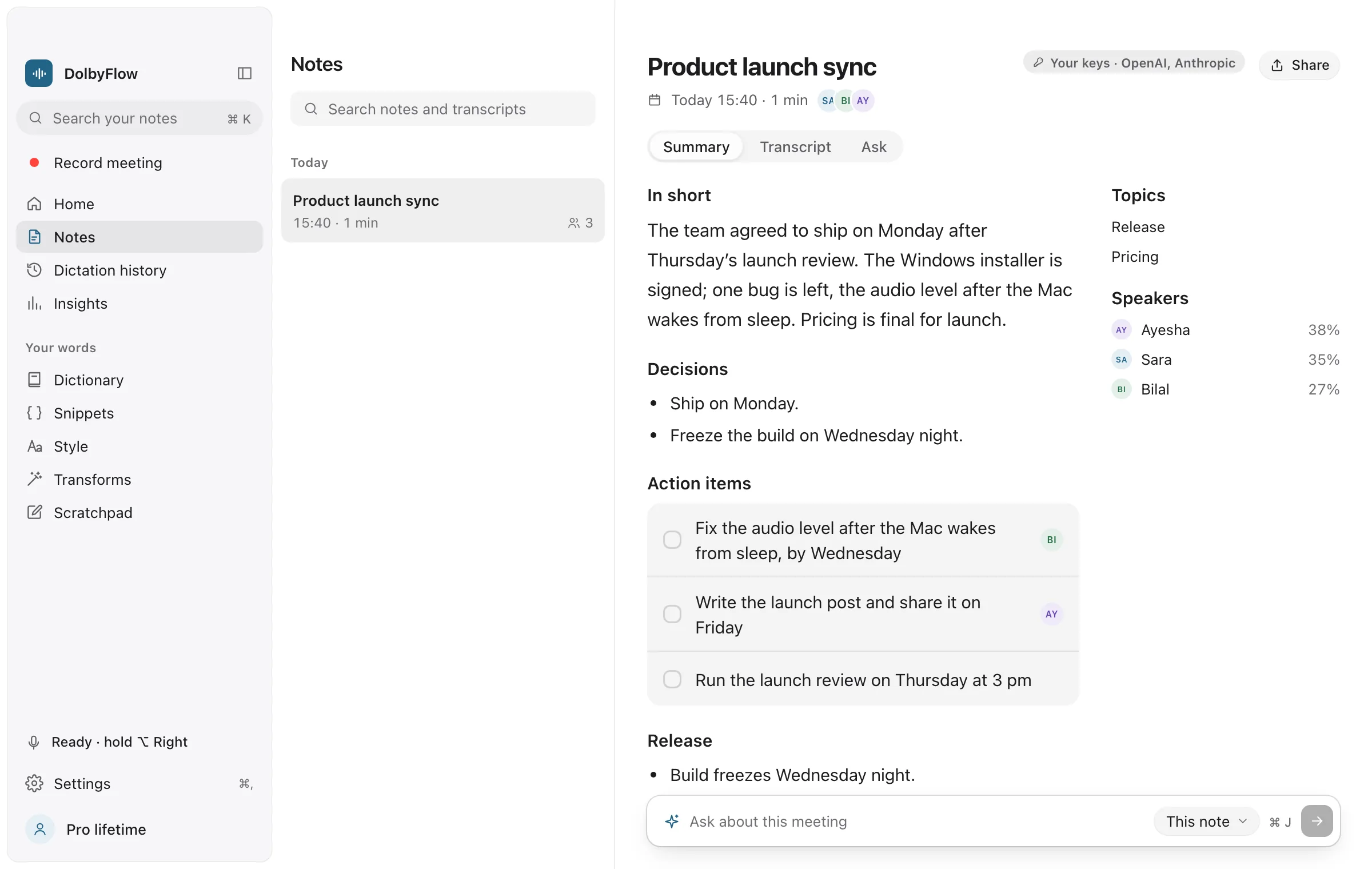
DolbyFlow records your Mac’s microphone and the call’s sound. Any call app, nobody to let in.
How it works
Record, watch, stop.
01
Press Record
Or say yes when DolbyFlow sees a call start in Zoom, Meet, Teams and others.
02
Watch it write
Live words with speakers, in the app or in a small recorder beside your call.
03
Stop
A last pass over the whole recording, then the summary, the decisions and the action items.
Details
The details.
Any call app
Zoom, Google Meet, Teams, Slack, FaceTime and more, in their app or the browser.
What it records
The microphone and the computer’s sound, or only one of them. Settings › Notetaker.
Pick up later
Resume adds to a finished note.
Import a recording
Drop an audio or video file on Notes (m4a, mp3, wav, aac, flac, Ogg/Opus, mp4, mov), up to 3 hours. It is read on your Mac and becomes a note like any recording: transcript, speakers, summary and Ask.
Switch from another app
Import notes from Otter (TXT, DOCX, SRT), Granola (its CSV export) and Wispr Flow (its history), on your Mac or phone. Read on the device, nothing uploaded.
Share it
Copy, share, or export as Markdown or PDF. Or send it to Slack, Notion or Linear. Or share an end-to-end encrypted link that opens in any browser, for 1 to 90 days, and revoke it any time.
For your AI agents
Claude, Cursor and Codex can read your notes. Meetings for AI agents.
Plans and devices
Where you get it.
Plan
Pro lifetime and Enterprise.
Devices
Mac today. Recording on iPhone and Android is coming soon. Linux, and a Chrome extension that records Google Meet, Zoom and Teams in the browser with the note made on your computer, are in testing.
Stored
In a database on your Mac. Never on DolbyFlow’s servers.
Does a bot join the call?
No. DolbyFlow records on your Mac, so nobody sees a bot.
Does it work offline?
Yes. Speech, speaker labels and summaries can all run on your Mac.
Where do the live words come from?
From the speech model on your Mac, or your own ElevenLabs key.
Should I tell people?
Yes. In many places the law asks you to, and it’s the right thing anyway.
Pro lifetime
Speak.
It’s written.
One payment, no subscription, with a 30-day refund. Dictation on your Mac stays free.